
Jump to content

Resources

16 files

  1. B:GCC  Scenario Editor - Manual Fix - Part 8 (Tiles)

    Eight and final part of a pack of missing resources (images) to be incorporated into a scenario created by the official editor. The end of an adventure. The beginning of yours ?

    The possibility of being able to create scenarios yourself is great, however, some images were missing. So I decided to tackle the task and create these missing images, following the model of what was already generated.

    To integrate them, you will need to use an image processing software and already have a scenario previously created using the generator. The idea is not to supplement it but to complete it.

    Have fun.
    Part 8 : tiles


    55 downloads

       (0 reviews)

    Updated

  2. B:GCC  Scenario Editor - Manual Fix - Part 7 (Elements - Tokens)

    Seventh part of a pack of missing resources (images) to be incorporated into a scenario created by the official editor.

    The possibility of being able to create scenarios yourself is great, however, some images were missing. So I decided to tackle the task and create these missing images, following the model of what was already generated.

    To integrate them, you will need to use an image processing software and already have a scenario previously created using the generator. The idea is not to supplement it but to complete it.

    Have fun.
    Part 7 (Elements - Tokens and misc.)

    50 downloads

       (0 reviews)

    Updated

  3. B:GCC  Scenario Editor - Manual Fix - Part 6 (Elements - Items and mini-boards)

    Sixth part of a pack of missing resources (images) to be incorporated into a scenario created by the official editor.

    The possibility of being able to create scenarios yourself is great, however, some images were missing. So I decided to tackle the task and create these missing images, following the model of what was already generated.

    To integrate them, you will need to use an image processing software and already have a scenario previously created using the generator. The idea is not to supplement it but to complete it.

    Have fun.
    Part 6 (Elements - Items and mini-boards)

    50 downloads

       (0 reviews)

    Updated

  4. B:GCC  Scenario Editor - Manual Fix - Part 1 (Briefing contact)

    First part of a pack of missing resources (images) to be incorporated into a scenario created by the official editor.

    The possibility of being able to create scenarios yourself is great, however, some images were missing. So I decided to tackle the task and create these missing images, following the model of what was already generated.

    To integrate them, you will need to use an image processing software and already have a scenario previously created using the generator. The idea is not to supplement it but to complete it.

    Have fun.
    Part 1 (Briefing contact)
     

    59 downloads

       (0 reviews)

    Updated

  5. B:GCC  Scenario Editor - Manual Fix - Part 5 (Stickers)

    Fifth part of a pack of missing resources (images) to be incorporated into a scenario created by the official editor.

    The possibility of being able to create scenarios yourself is great, however, some images were missing. So I decided to tackle the task and create these missing images, following the model of what was already generated.

    To integrate them, you will need to use an image processing software and already have a scenario previously created using the generator. The idea is not to supplement it but to complete it.

    Have fun.
    Part 5 (Stickers)

    40 downloads

       (0 reviews)

    Updated

  6. B:GCC  Scenario Editor - Manual Fix - Part 4 (Boards)

    Fourth part of a pack of missing resources (images) to be incorporated into a scenario created by the official editor.

    The possibility of being able to create scenarios yourself is great, however, some images were missing. So I decided to tackle the task and create these missing images, following the model of what was already generated.

    To integrate them, you will need to use an image processing software and already have a scenario previously created using the generator. The idea is not to supplement it but to complete it.

    Have fun.
     
    Part 4 (Boards)

    41 downloads

       (0 reviews)

    Updated

  7. B:GCC  Scenario Editor - Manual Fix - Part 3 (Select Character)

    Third part of a pack of missing resources (images) to be incorporated into a scenario created by the official editor.

    The possibility of being able to create scenarios yourself is great, however, some images were missing. So I decided to tackle the task and create these missing images, following the model of what was already generated.

    To integrate them, you will need to use an image processing software and already have a scenario previously created using the generator. The idea is not to supplement it but to complete it.

    Have fun.
    Part 3 (Select Character)

    46 downloads

       (0 reviews)

    Updated

  8. B:GCC  Scenario Editor - Manual Fix - Part 2 (Mission Polaroid)

    Second part of a pack of missing resources (images) to be incorporated into a scenario created by the official editor.
     
    Do take note that unlike the other images that I took by my own means, the images of S2 are in fact almost all retakes of tet2brick's work, I just changed the format to make it fit... Justice be done to him. When I have time, I might redo my own versions (at the same time as those of S3 with better quality original images?).
     
    Description :

    The possibility of being able to create scenarios yourself is great, however, some images were missing. So I decided to tackle the task and create these missing images, following the model of what was already generated.

    To integrate them, you will need to use an image processing software and already have a scenario previously created using the generator. The idea is not to supplement it but to complete it.

    Have fun.
     
    Part 2 (Mission polaroid)


    48 downloads

       (0 reviews)

    Updated

  9. B:GCC Components Checklist (EN) - A total inventory

    This file list all the 1093 components of Batman: Gotham City Chronicles (corresponding to 1574 objects). It contains two lists :
    - One simple which let see a global view of each expansion
    - A detailled list which categorize each item.
     
    I recommend that you mark what you own (to complete your collection) and to use and abuse of the filters.

    You can that way see if a character has a power card, what bat-gadget exist, etc.

    161 downloads

       (0 reviews)

    Updated

  10. B:GCC Ressources (official and fan-made)

    So… There was someone asking on BGG what were a checklist for a beginner. And I thought of all the ressources the community made but weren’t easily accessible. So I made a meta-list of some sort, regrouping all the official ressources as well as those of the community, on both Overlord and BGG.

    This a clickable list : I made link on the ressources.

    It will not answer as a « beginner checklist » but it can help, I hope.

    Do have fun in the meantime. 🙂

    99 downloads

       (0 reviews)

    Submitted

  11. B:GCC Alternative Skill aid sheet (EN)

    I translated one old aid I made back in 2019. It’s updated to and is now also in black & white. It stands on one A4, recto-verso (portrait format).
     
    The reasons for this alternative :
    - Skills categories are from the order of the action of the bat-tablet (report to the picture)
    - Some skills changed categories and I add two new categories. It seemed to me more logical.
    - [NEW] Add booklet skill and rules pages for reference.

    53 downloads

       (0 reviews)

    Submitted

  12. B:GCC Riddler’s Missions List (EN/FR) - A reworked list of all the missions

    This fan-made file contains an overview of the 94  missions of Batman: Gotham City Chronicles. It’s updated to the S3, with the notable exception of the two missions in the Overlord mag.

    1/ Campaign Missions (for 4 players)
    2-5/ Independant Missions for 2,3,4,5  players
    6/ Versus Mode list (for 2 players)
    7/ List of missions by map
    8/ Alphabetic list of the missions (in english order and then in french order).

    The missions are listed by number of players and then by map. You can also search directly by name or map with the annexes.

    For the campaign and independents missions (NOT the VS missions), each overview includes this :
    - The references for the pages (Solo version and the original version)
    - On which map it take scene
    - The heros, the main villain and its acolytes. The swaps (from the S2 Mission Rooster) are displayed, as are the mandatory "non-core" figurines.
    - The initiative and max turns.

    It does not include the scenario of the missions (introduction, map installation, objectives, solo cards…).

    The images are open-source, except for the icons of the characters of the game.

    I hope it will be helpful. Have fun !

    Oh and it’s french-friendly, les amis ! 

    61 downloads

       (0 reviews)

    Submitted

  13. Elements for bases and dioramas

    Print and cut to add variety to your Batman-esque miniatures and dioramas.
     
    Note :  Fairly frequent updates -> Follow

    378 downloads

       (0 reviews)

    Updated

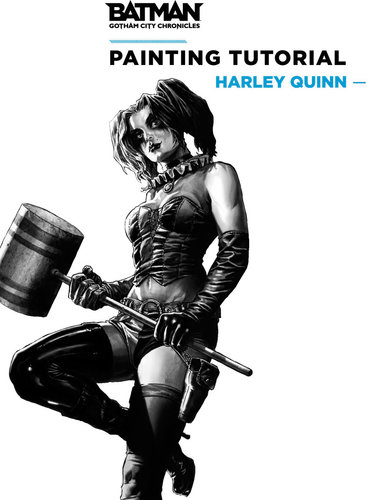
  14. PAINTING TUTORIAL - Harley Quinn - by François-Xavier Despoulain

    PAINTING TUTORIAL - HARLEY QUINN - by François-Xavier Despoulain 

    Batman™: Gotham City Chronicles fulfillment is almost complete and the game is gracing tabletops all around the world. Now is the time to break out your paints and brushes and go to work on the heroes and villains from this superb range of miniatures. 

    If painting is a new and intimating prospect for you, fear not, we've got you covered. Today we are offering a fan-made painting tutorial for Harley Quinn.

    988 downloads

       (0 reviews)

    Submitted

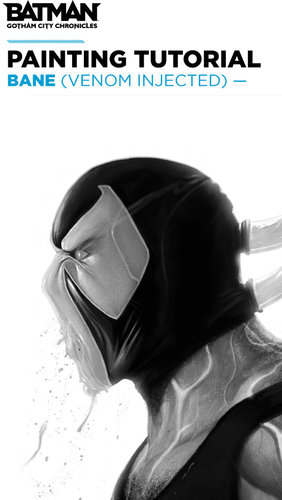
  15. PAINTING TUTORIAL - BANE - by François-Xavier Despoulain

    Thx to François-Xavier Despoulain :)

    1,047 downloads

       (0 reviews)

    Submitted

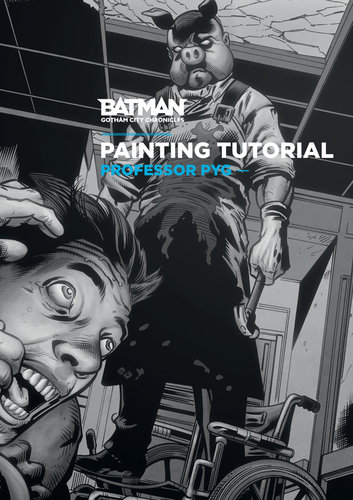
  16. PAINTING TUTORIAL - PROFESSOR PYG - by Philippe Villé

    Batman ™: Gotham City Chronicles has finally reached most of your places and the action-filled evening adventures within the DC Comics world can begin. It’s time to break out your paints and brushes and breathe even more life into the heroes and villains from this superb range of miniatures.

    1,005 downloads

       (0 reviews)

    Submitted


  • File Reviews

    • By fooforge · Posted
      I've never thought I would leave a review for a 3D printed rock, but then again as a kid I also didn't expect I would ever own a 3D Printer. So, yeah long story short: It's a great rock! I would download and print that rock again. Kudos to the makers for publishing this! Much appreciated.   3D Printer: Ultimaker 3 Extended Filament: PLA in anthracite color from dasfilament.de Print Settings: Layer Height: 0.15mm Wall Thickness: 1.2mm Speed: 40mm/s Support:
    • By Drewbag · Posted
      This isn't a review, more a query. If I download this map (while not owning the Poseidon expansion) how can I find the deployment zones and Omphalos crystal locations?
    • By VerniusNL · Posted
      Design looks good . Cannot place miniatures on the top very well.  Printed without support just fine, problably gonna make some adjustments to the orignal to make it work better.   3D Printer Creality Cr 10  Print settings: Filament : PETG Temp Nozzle : 242 C Temp Bed : 70 Layer Hight: 0.2 No support Print time: about 7 hours. Print size: Original sizes (110x70x65 mm)
    • By VerniusNL · Posted
      Design looks great . Can hold miniatures reasonably well, it’s pretty flat.  I didn’t want to print with support (always a pain to clean that up)  so that caused some minor issues, chiefly a hole at the top which i closed with random piece of PETG. Now i am looking to prime it and paint and the closed up hole will function as a puddle after the paintjob.   3D Printer Creality Cr 10  Print settings: Filament : PETG Temp Nozzle : 242 C Temp Bed : 70 Layer Hight: 0.2
    • By Primeval · Posted
      Nicely done and much needed!
×
×
  • Create New...

Important Information

Our website uses cookies to guarantee you the best navigation. By continuing your visit, you confirm that you accept these cookies. Our Cookie Policy has other terms. Privacy Policy